What objects consume RAM?
!dumpheap -stat reports which objects live in heap:
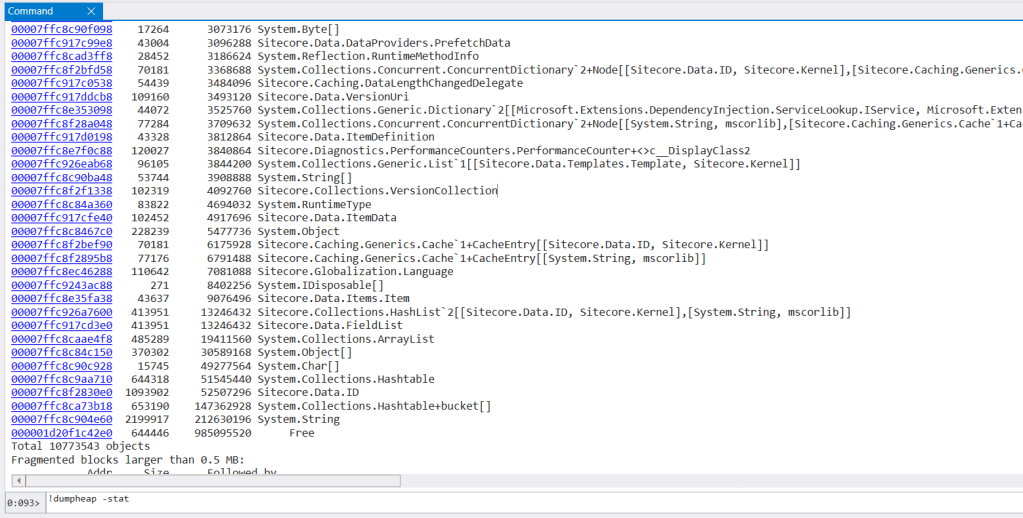

- First column is a type descriptor (method table) aka type unique identifier.
- The second column shows how many objects of that type are in heap.
- The third column shows own object size (without following nested references).
Use case: Comparing live stats between memory snapshots collected within a few minutes interval would flag growing types, and potential cause of a memory leak.
Hints
- Free shows memory fragmentation, that would be addressed by compact phase of GC
-nameinclude only types that contain string in name-live(slow) leaves only objects that are alive-deadshows only objects that are eligible for garbage collection-shortshow only object addresses-stringsprint strings only-mtprint objects only of given type by with method table ID
GC heap stats
!gcheapstat (or !gcheapinfo by MEX) the running size of each heap segment, as well as its fill ratio:

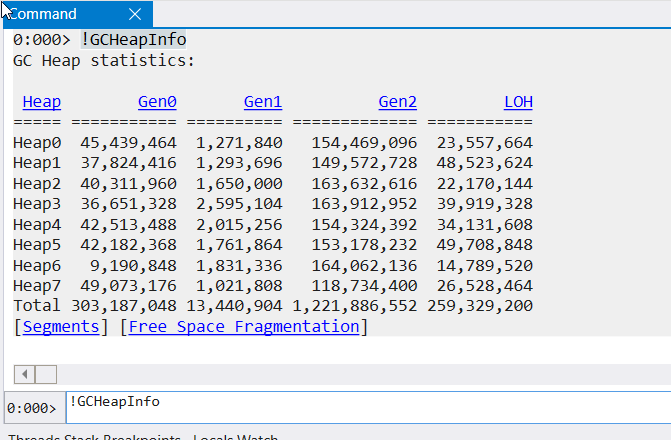
- Large objects end in LOH that is not compacted by default. As a result, large objects can provoke additional memory allocations in case existing blocks are insufficient = look like a memory leak.
- What are the dead objects in ‘older’ generations:
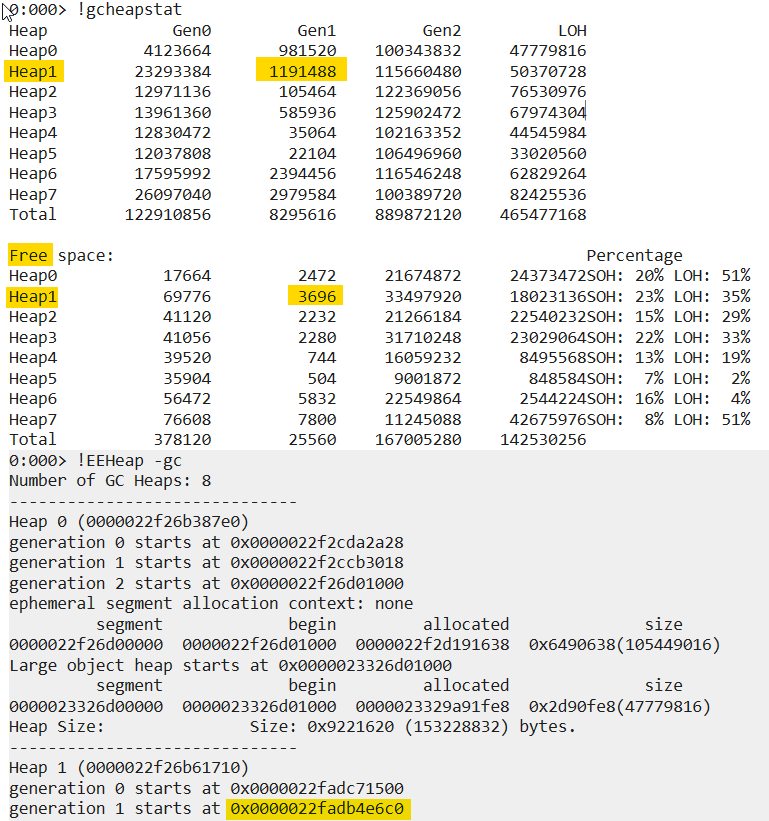
Dump dead objects from generation start till segment generation end (? 0x0000022fadb4e6c0+0n1191488) = 0000022fadc71500:


Performing same operation for GEN2 from heap 5:

Strings are in top 3, getting the content of strings by adding -string option:
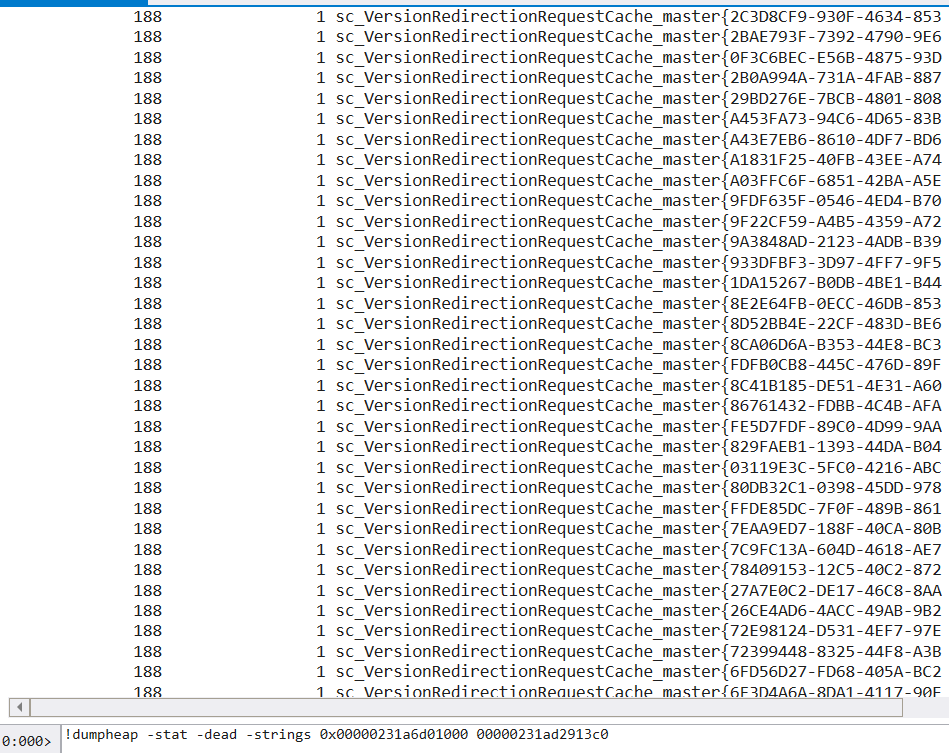
This specific example highlights Content Testing getItem cache key.
Who holds object in memory?
!gcroot shows why object is not removed from memory by GC:

Use case: Find out the reference chain preventing memory from being released.
Who references the object?
!refs -target by SOSEX attempts to find who references the object:

Use case: find parent collection/cache object is stored in.
ASP.NET cache content
!AspNetCache MEX shows the native ASP.NET cache content:

Use case: Find cached responses (System.Web.Caching.CachedRawResponse) as well as other cached data.
 Making it run faster
2 thoughts on “WinDBG commands, memory”